
PrismHR Hiring
APPLICANT TRACKING SYSTEM
Hire faster, right from your manager portal
Post jobs, compare applicants, and move new hires straight into onboarding. It is already turned on in your portal, with nothing to install.
Free for every location: one active job posting is included.
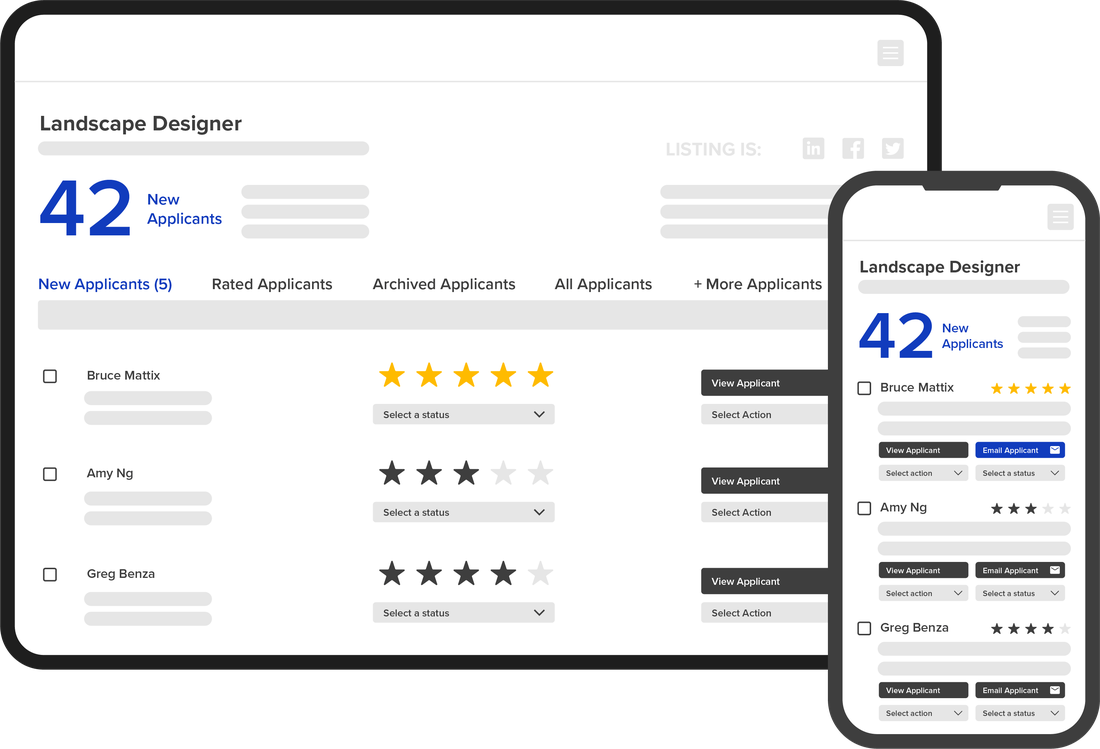

SOURCE
Post to free and paid job boards from your account in a few clicks.

ENGAGE
Rate, compare, message, and schedule candidates with your whole team.
HIRE
Send an offer and move the new hire into onboarding and payroll, with no retyping.
START HERE
See it in five minutes
What the system does, how to post your first job, how to compare applicants, and what happens when you hire.

ESSENTIAL AND PRO
See every candidate, every stage
Visual Pipeline shows your whole hiring process in one drag-and-drop view. Spot where candidates stall and move them forward in a click.
PRO
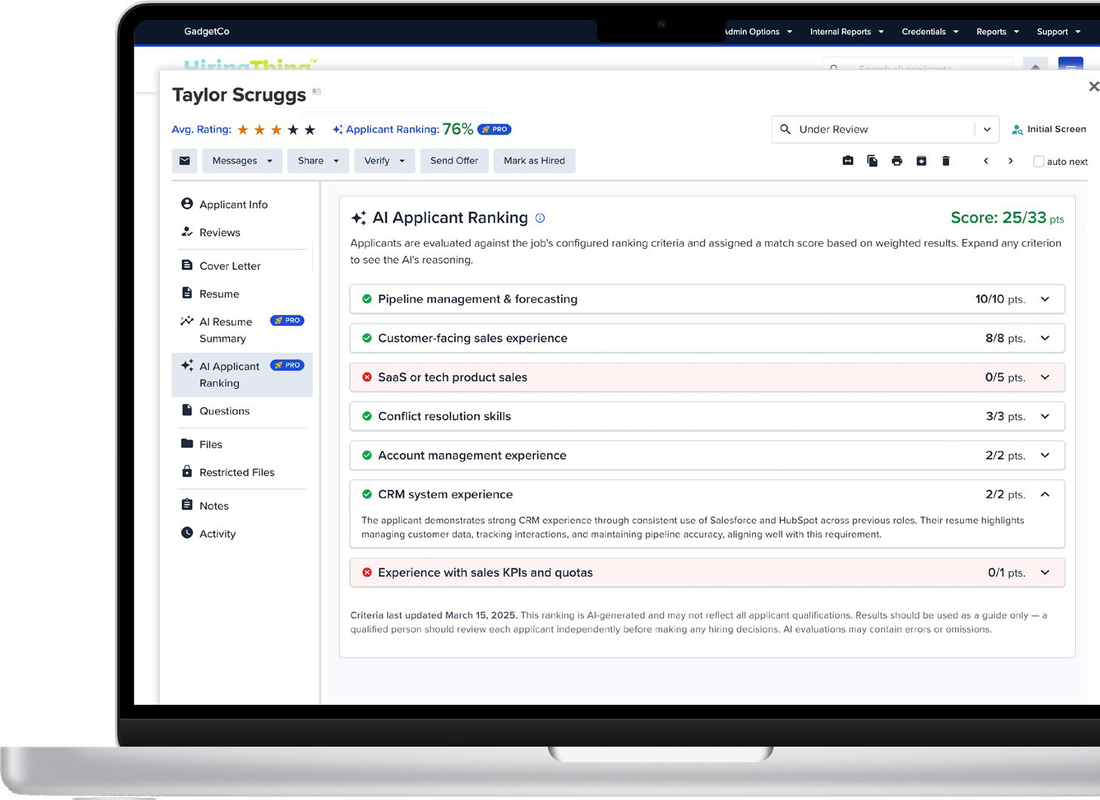
Surface your best candidates first
Choose the criteria that matter for the role and weight each one. Every applicant gets a Match Score, so your team knows who to review first.
AI suggests criteria and drafts job descriptions. It never screens anyone out or makes the decision. That stays with you.
PRO
Workflow Management
Automate pre-hire steps like uniform requests, schedule availability, and certifications, with smart forms, task templates, and e-signatures.

Save time
Automate repetitive tasks and cut manual errors.

Stay consistent
Standardize steps to support compliance.

Keep teams aligned
Everyone works from one place.
MORE TOOLS
Built for the way you hire

ESSENTIAL AND PRO
Form Builder
Branded, mobile-friendly applications with knockout questions that pre-screen for you.

PRO
AI job descriptions
Generate a professional job description in minutes, then make it your own.

PRO
Multisite
Hire for every location, entity, or brand from one account, with one view across all of them.
INTEGRATIONS
Works with the tools you already use
Add background checks, assessments, video interviews, reference checks, and WOTC screening in a few clicks.
See all integration partners (PDF)
HIRING TO ONBOARDING
They accept. They are already in the system.
An accepted candidate becomes a new hire in the same platform. Their details carry into onboarding, payroll, and benefits automatically.
PLANS & PRICING
Start free. Grow when you need to.
FREE FOR EVERY LOCATION
Essential
For steady hiring with reliable, streamlined tools.
- Visual hiring pipeline
- Core applicant tracking
- Calendar and messaging
- Offer letters
- Standard reporting
UPGRADE
Pro
For higher hiring volume or more complex workflows.
- Custom pipeline
- Templates and automations
- SMS messaging
- AI candidate ranking
- Workflow management and e-signature
- Multisite management
Your free Essential account includes one active job posting at a time. Need more open at once? Move up a tier inside the ATS. Current pricing is shown under Account Plan & Billing.
How billing works
- You are never billed by accident. Upgrading always requires your approval.
- Billing is in arrears, based on your highest number of active jobs the prior month.
- Partial months are not prorated or refunded.
- Tiers do not go down on their own. Upgrades apply right away, and downgrades start next billing cycle.
Had an account before the new plans?
You keep your current features on the Legacy plan. If you change your job tier, you will choose Essential or Pro at that time.
Using Indeed?
Indeed restricts duplicate postings from the same company. Turn off your direct Indeed account before running a paid Indeed listing through the ATS, or the posting may not appear.
Plan options (PDF) · Essential vs. Pro (PDF) · Compare with Legacy (PDF)
Ready to post your first job?
Find the ATS in your manager portal under My Employees. Support is unlimited and included, and your HR Specialist can set up training anytime.
Watch the full walkthrough · Download the ATS overview (PDF)
