
Employee Self-Service Portal Access
AdvanStaff HR Creates a unique Username for all of our employees!Use your unique username or password credentials to access the AdvanStaff HR Employee Portal 24/7. Access to view, download &/or print: Forgotten or unsure of your credentials? Click the “Forgot Username?” or the “Forgot Password?” links and follow the detailed instructions. Don’t hesitate to call […]
Where can I find my Paycheck Stub?
Paycheck Stubs or Vouchers as they are sometimes referred to, can be retrieved from your personalized Employee Self-Service portal 24/7. Both current and historical records are available for viewing, download or print! Go to the Employee Self-Service Portal (ESS) Click on “Pay” Click on “Pay History”
OSHA 300/A General Info
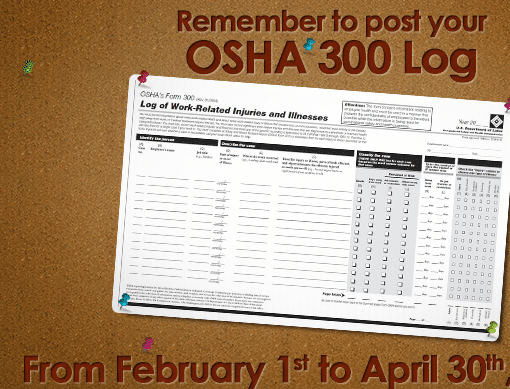
Employers with more than 10 employees must post the federally required OSHA 300A Summary no later than Feb 1. What is a OSHA 300A log? The OSHA 300A Summary is a log of serious work-related injuries & illnesses and required by OSHA to be kept by the employer. If AdvanStaff HR is managing your workers compensation […]
OSHA 300A annual posting requirements / instructions
OSHA Form 300 Summary Worksite employers with 10 or more employees are subject to the recordkeeping requirements of the federal Occupational Safety and Health Act and are reminded by our HR department to post the OSHA Form 300A, Summary of Work-Related Injuries and Illnesses, from February 1 – April 30. (every year) Which Forms are involved? Record Keeping Requirements […]
CA Work Comp Reporting Form 5020 / DWC1
NV Work Comp Care Facilities
C-1 Notice of Injury or Occupational Disease (Incident Report)
Direct Deposit
As with most programs offered by AdvanStaff HR, direct deposit is offered at the discretion of your worksite employer. If you do not see the option to enroll in direct deposit when visiting the employee portal, it may not be offered by your employer. Getting Started with Direct Deposit At the time of hire, you […]
What is an Account Access Confirmation?
You may be seeing a prompt for an Account Access Confirmation when logging in to your ESS profile. This is designed to keep your privacy settings updated and protect your information. Send that security code to your email or Text it to your cell number and you will be able to enter it in with […]
Who can I add as a dependent for my benefit coverage?
A direct family member is considered an approved person for your benefit coverage. This includes children (natural born, adopted), spouse/domestic partner. In some cases, the carrier will request proof of relation to support the tie you have to that individual. This DOES NOT include mother, father, grandparents or any other extended family.
